
Tech
State Wide Area Network: A Practical Guide for Modern Governance

Introduction
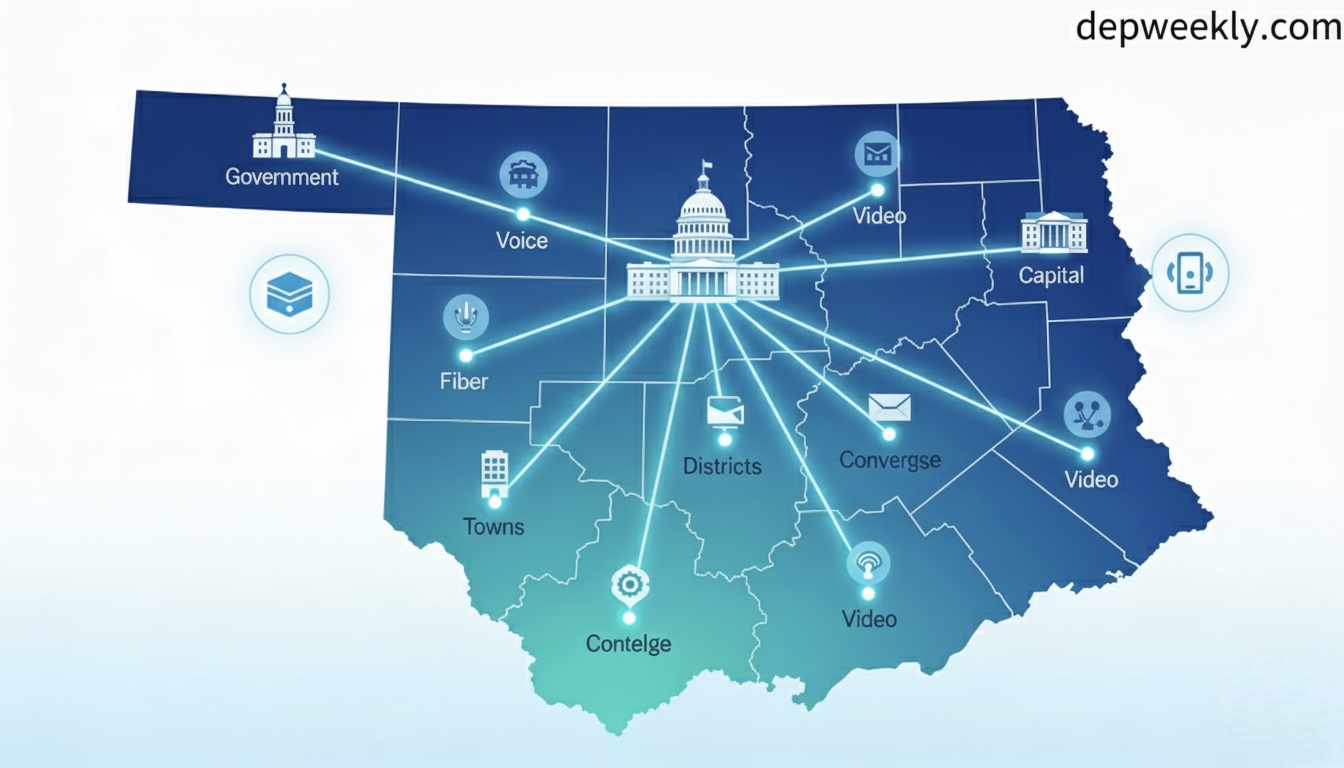
A state wide area network sounds technical, but at its core it’s about one simple idea: connecting every government office in a state so information, voice, and video can flow quickly, securely, and reliably. A state wide area network (often called SWAN) creates a dedicated communication backbone that links state headquarters to districts, and districts to blocks and local offices. It replaces scattered, ad‑hoc links with a unified structure that supports everything from online citizen services to real‑time coordination during emergencies. By the end of this guide, you’ll understand what a state wide area network is, how it works, why many governments invest heavily in it, and what it means for citizens, businesses, and public sector teams.
What Is a State Wide Area Network?
A state wide area network is a large, hierarchical communications network built to connect government offices and agencies across an entire state or similar administrative region. It is usually implemented as a closed user group, meaning only authorized government entities use it, which helps maintain confidentiality and integrity of sensitive data. In many countries, SWAN is treated as core digital infrastructure, sitting alongside data centers and service delivery platforms in e-governance programs. While it relies on familiar technologies like fiber optics, routers, and leased lines, its design decisions are driven by governance needs rather than purely commercial goals.
Will You Check This Article: Gamer Challenger: Mastering Games By Embracing Every Challenge
Most implementations follow a tiered structure with points of presence (PoPs) at different levels—typically the state capital, each district headquarters, and then sub‑district or block locations. Each PoP aggregates local traffic and forwards it up or down the hierarchy, allowing voice, video, and data to traverse the state efficiently. Because this backbone is centrally designed, performance and security are easier to standardize, and common services such as email, video conferencing, and shared applications can be offered uniformly.
Key Objectives and Benefits of SWAN
The primary objective of a state wide area network is to improve the way government offices communicate and collaborate. Instead of each department procuring its own connectivity, SWAN provides a common platform that all can share, which reduces fragmentation and duplication. This shared infrastructure supports faster file movement, coordinated decision‑making, and consistent access to applications across urban and rural offices. Over time, it can dramatically cut the delays historically associated with paper‑based processes and disconnected systems.
Another major goal is cost efficiency. When connectivity is procured and managed centrally, states can negotiate better long‑term contracts with service providers and simplify maintenance. Operating a single backbone is typically cheaper than maintaining dozens of small networks with different standards and vendors. Moreover, an integrated state wide area network provides a strong foundation for new digital initiatives—anything from telemedicine and distance learning to integrated financial management and digital land records—without redesigning connectivity each time.
Core Features of a State Wide Area Network
Most state wide area networks share a few technical and functional features, even if their exact topology or vendor mix differs. At the technical level, they usually support high‑speed links between major locations, often starting in the tens of megabits per second and scaling up to gigabit capacities as traffic grows. These links carry converged services, meaning the same connection supports voice calls, video conferencing, and data transfer. This convergence reduces hardware duplication and simplifies troubleshooting.
Security is another defining feature. Because government data often includes citizen records, financial transactions, and confidential communications, SWAN designs typically include firewalls, intrusion detection systems, and strict access policies at key PoPs. Logical separation—such as virtual private networks for specific departments—can be layered on top of the common backbone. The architecture is also built to be scalable, so new districts, blocks, or specialized agencies can be added with minimal disruption as administrative boundaries evolve or services expand.
Typical SWAN Architecture and Layers
Understanding state wide area network architecture is easier if you picture it in layers. At the top sits the state headquarters, which often hosts the central network operations center, core routers, and high‑bandwidth connections to national networks or the public internet where appropriate. This is the control and aggregation hub, where overall policies, monitoring, and traffic management are applied. Core equipment here is usually designed with high redundancy so that failure of a single device does not bring the network down.
Below this core layer is the distribution layer, usually at district headquarters. Each district PoP aggregates traffic from blocks and local offices within that district and provides local breakout when necessary—for example, to connect to local data centers or district‑level applications. Finally, the access layer serves block offices and, in some designs, individual offices and service centers. In remote regions, these access links may use a mix of technologies—fiber where available, radio or satellite when terrain or budgets constrain physical build‑out—yet all appear as part of the same logical state wide area network.
State Wide Area Network vs General WAN
At first glance, a state wide area network may look like any other wide area network, but there are important differences in purpose and governance. A general wide area network is simply a network connecting geographically dispersed locations; it might belong to a private company, a service provider, or an educational consortium. Its design is usually driven by business needs such as branch connectivity or access to cloud services, with flexibility to mix many types of traffic and clients. By contrast, SWAN is tightly focused on public sector administration and service delivery.
Another distinction lies in policy and control. SWAN usually operates under formal government schemes or programs, with clear service level targets, funding structures, and oversight mechanisms. Its performance and security are subject to public accountability because disruptions can affect critical services like health, policing, revenue collection, and welfare distribution. A typical corporate WAN might prioritize specific applications important to the business, while a state wide area network must balance the needs of many independent departments, each with its own legacy systems and priorities.
Comparison of SWAN and Typical WAN
| Aspect | State wide area network | General wide area network |
|---|---|---|
| Primary owner | Government entity | Enterprise or provider |
| Main purpose | Governance and services | Business or commercial |
| User group | Closed government users | Employees/customers |
| Accountability | Public and policy‑driven | Internal or contractual |
Governance, Policy, and Institutional Model
Because a state wide area network spans many departments and tiers of administration, strong governance and institutional arrangements are essential. Many states create dedicated agencies or special purpose vehicles to plan, procure, and operate SWAN. These entities clarify roles such as who pays for bandwidth, who owns equipment, and who responds to outages at various levels. Without such clarity, departments may under‑utilize the network or duplicate investments, undermining the original vision of a common backbone.
Policy decisions also shape how quickly SWAN yields benefits. For example, the choice between centralized versus departmental budgets for bandwidth can influence whether offices feel encouraged to consume more digital services. Clear rules for connecting new sites, approving applications, and sharing infrastructure with other public sector bodies—like schools or hospitals—help avoid bottlenecks. When these frameworks are set up well, the state wide area network becomes more than a technical project; it becomes a platform for sustained administrative reform.
Technologies Used in State Wide Area Networks
Though each implementation differs, several common technologies appear repeatedly in state wide area networks. At the physical layer, fiber optic cables often form the backbone between state and district headquarters due to their high capacity and reliability. In hilly or remote areas, microwave radio links or satellite connectivity can bridge gaps where fiber is impractical or too expensive. These transport choices are usually blended, with dynamic routing ensuring continuity when one link fails.
At higher layers, routers and switches implement protocols that manage how traffic is forwarded and prioritized. Quality of service is often configured to ensure time‑sensitive applications like voice or video conferencing receive appropriate bandwidth when links are congested. Virtual private network technologies may isolate departmental traffic, and centralized authentication systems can enforce user‑level access controls. Collectively, these technologies make the state wide area network behave as one cohesive system, even when it relies on multiple carriers or media types underneath.
Real‑World Use Cases and Citizen Impact
The value of a state wide area network becomes tangible when looking at real services citizens use every day. Consider digital land records: when all tehsil or block offices are connected through a common backbone, updates made in one office can be reflected across the state in near real time. Citizens can obtain accurate land extracts without waiting for physical files to move from one location to another. Similarly, when treasury offices and finance departments share a unified network, government payments and receipts can be processed more quickly and tracked more transparently.
Another powerful use case is real‑time coordination during disasters. A state wide area network allows the control room at the state headquarters to interact instantly with district collectors, local police, and relief teams through video conferences and shared dashboards. Because all these offices already sit on the same infrastructure, there’s no scramble to set up temporary links when a crisis hits. This improves situational awareness, speeds up decision‑making, and can ultimately save lives and property.
Designing a State Wide Area Network: Key Considerations
Designing a robust state wide area network requires balancing technical ideals with on‑the‑ground realities. One important consideration is coverage: how many locations will be connected at each tier, and what growth is expected over the next decade? Planners must account not only for current government offices but also for likely future expansions, reorganizations, and newly created agencies. This forward‑looking approach prevents the backbone from becoming obsolete or overloaded too quickly.
Another major factor is resilience. Critical links between the state headquarters and districts should have redundant paths so that fiber cuts or equipment failures don’t isolate entire regions. Power backup at PoPs, standby equipment, and clearly documented failover procedures all contribute to higher availability. Meanwhile, performance planning—estimating traffic for data‑intensive applications like video or large document uploads—ensures that bandwidth provisioning is adequate and upgrades can be scheduled before congestion becomes a serious problem.
Performance, Reliability, and Service Levels
Performance and reliability are not just technical parameters in a state wide area network; they directly influence public trust in digital government. When online services fail frequently due to connectivity issues, citizens and officials alike revert to manual processes, undercutting years of investment. To avoid this, states often define service level targets such as minimum uptime, maximum response time for troubleshooting, and escalation procedures for major incidents. These targets guide both internal network teams and external service providers.
Monitoring tools play a central role in maintaining these service levels. Centralized dashboards can show link utilization, error rates, and outage histories for each PoP, allowing operators to detect problems before users experience severe degradation. Automated alerts can trigger immediate responses when critical thresholds are crossed. Over time, analysis of this monitoring data helps fine‑tune capacity, identify chronically problematic routes, and support budget requests for necessary upgrades.
Security and Data Protection in SWAN
Security within a state wide area network is about more than protecting the network perimeter; it also involves safeguarding internal traffic and access. Because multiple departments share the same backbone, segmentation is crucial to prevent one compromised system from affecting others. Network segmentation can be achieved through virtual networks, dedicated subnets, and carefully configured access control lists that limit which systems can talk to each other. This layered approach reduces the blast radius of potential attacks.
In addition to segmentation, strong authentication and encryption practices are essential. Administrators often require multi‑factor authentication for remote access to core systems, and sensitive data flows can be encrypted using modern protocols. Logging and audit trails help track who accessed what, and when, which supports investigations and compliance obligations. Regular security assessments, vulnerability scans, and simulation exercises help keep defenses updated against evolving threats while preserving the usability that government staff need to do their jobs.
Implementation Models and Public–Private Partnerships
Many states choose to implement their state wide area network through some form of public–private partnership. In such models, a private service provider may be responsible for building and operating network links, while the state retains control over policy, applications, and data. This arrangement can accelerate deployment by leveraging the provider’s technical expertise and existing infrastructure. It can also spread capital costs over the life of a long‑term service contract rather than requiring a large upfront investment.
However, these partnerships require careful contracting. Service agreements must spell out performance metrics, penalties for non‑compliance, and clear exit or transition plans if the contract ends. Intellectual property rights for network designs, configurations, and management tools also need definition so that the state is not locked into a single vendor. When these aspects are thoughtfully addressed, public–private models can make the state wide area network more sustainable and responsive to technological change.
Measuring Success and Continuous Improvement
Once a state wide area network is in place, the work is far from over. Measuring success means looking beyond uptime statistics to consider business outcomes: Are file movement times significantly reduced? Are more services being offered online? Are citizens and businesses experiencing faster, more predictable interactions with government offices? These indicators reveal whether the network is actually supporting the intended transformation in governance.
Continuous improvement then builds on this feedback. If specific districts face chronic issues, targeted projects can strengthen their last‑mile connectivity or local support. Training programs for officials can emphasize best practices in using video conferencing, document management, and collaborative tools that rely on the network. Periodic technology refreshes—such as upgrading routers or increasing bandwidth on critical routes—ensure that the state wide area network remains capable of handling new applications as digital governance matures.
State Wide Area Network in the Cloud Era
As more applications move into centralized data centers and cloud environments, the role of the state wide area network is evolving. Instead of merely connecting offices to each other, SWAN is increasingly responsible for providing controlled, high‑quality access to shared platforms that host multiple departmental applications. This shift often increases traffic flowing toward central hubs or cloud gateways, making bandwidth and latency even more critical. Proper design can reduce bottlenecks and ensure that remote offices experience responsive applications.
Moreover, new network technologies can complement traditional architectures. For instance, policy‑driven routing and centralized management tools make it easier to enforce consistent security and performance rules across a large state. In the long term, the state wide area network becomes a key enabler of a hybrid digital environment, where some systems live in state data centers, some in cloud platforms, and all remain accessible to authorized users through a predictable, well‑managed backbone.
Example Applications Enabled by SWAN
A well‑designed state wide area network unlocks a wide range of digital services that cut across sectors. In health, it supports teleconsultations between district hospitals and remote health centers, allowing specialists to guide local teams without physically traveling. Digital imaging and electronic medical records can be shared securely over the same network, improving continuity of care. In education, SWAN can carry interactive lessons from a central studio to classrooms across the state, enabling teachers and students in remote schools to access expert instruction.
People also like this: Olympus Scanlation and the Passion Behind Fan-Translated Manga
In law and order, integrated communication between police stations, control rooms, and forensic labs can improve response times and coordination during incidents. Digital evidence, alerts, and dispatch instructions can flow more quickly and reliably when the entire chain sits on the same backbone. Similarly, in agriculture, advisory messages, real‑time market information, and weather updates can be delivered to local offices that then communicate with farmers through local channels, making the state wide area network an invisible but important part of rural outreach.
Sample SWAN Feature Overview Table
| Feature category | Typical state wide area network capability |
|---|---|
| Connectivity scope | State HQ to districts, blocks, and local offices |
| Service types | Data, voice, video on converged links |
| Security mechanisms | Segmentation, firewalls, controlled access |
| Management approach | Central monitoring with defined service levels |
Conclusion
A state wide area network is much more than a collection of circuits and routers; it is the digital backbone that lets a state function as a connected, responsive system. When designed well, it links distant offices into a single fabric, cutting delays, simplifying communication, and enabling new kinds of citizen‑facing services. It turns once‑isolated departments into collaborators, and it gives administrators real‑time visibility they could never have with paper‑based processes.
To get the most from a state wide area network, governments must treat it as strategic infrastructure, not just a technical project. That means clear governance, strong security, realistic funding, and continuous performance tuning. For citizens and businesses, the payoff shows up in shorter queues, faster approvals, and more reliable services. For public officials, it offers better tools, clearer information, and a modern working environment. Together, these benefits make investing in a robust state wide area network one of the most impactful steps a state can take on its digital journey.
Frequently Asked Questions (FAQs)
1. What is a state wide area network in simple terms?
A state wide area network is a large communication system that connects government offices across an entire state. It lets them share voice, video, and data quickly and securely using a common backbone.
2. How is a state wide area network different from a normal WAN?
A normal WAN can belong to any organization and serve many purposes, from business operations to customer services. A state wide area network is specifically built for government agencies and public services, with policies and accountability aligned to governance needs.
3. Why do governments invest in state wide area networks?
Governments invest in state wide area networks to reduce duplication, improve coordination, and support digital services. The shared infrastructure helps cut costs, speed up decisions, and deliver more reliable services to citizens.
4. What technologies are commonly used in state wide area networks?
State wide area networks often use fiber optic links, microwave radio, or satellite for connectivity between locations. They rely on routers, switches, and security devices to manage traffic, protect data, and keep services running smoothly.
5. How does a state wide area network benefit citizens directly?
Citizens benefit when services like land records, health programs, or online certificates work faster and more reliably because offices are well connected. Better communication between departments leads to fewer delays, clearer information, and more convenient access to public services.
You May Also Read: Depweekly

iZoneMedia360.com is an emerging technology and digital media ecosystem that helps entrepreneurs, businesses, and creators navigate tech trends while growing their online presence with practical tools and insights. It combines tech news, marketing resources, and AI-powered solutions so users can discover innovation and apply it directly to real-world business challenges. This blend of information and execution makes iZoneMedia360.com a powerful hub for anyone serious about digital success.
What Is iZoneMedia360.com?
iZoneMedia360.com is a tech-driven platform focused on business technology, digital growth, and media solutions for startups, SMEs, and established brands. It offers content on innovation, tools for digital marketing, and resources designed to turn complex technology into practical strategies.
Will You Check This Article: Internetchicks: How Digital Women Are Redefining the Online World
Instead of being just a news site, iZoneMedia360.com acts as a bridge between cutting-edge tech and everyday business needs. Readers explore topics like artificial intelligence, mobile solutions, digital campaigns, and performance analytics, all framed to support growth and competitiveness. This makes the platform relevant whether someone is researching trends, planning campaigns, or evaluating new tools.
Quick Overview Of iZoneMedia360.com
| Attribute | Details |
|---|---|
| Platform Name | iZoneMedia360.com |
| Primary Focus | Tech insights, digital media, and business growth resources |
| Key Audiences | Entrepreneurs, SMEs, marketers, tech enthusiasts |
| Core Themes | AI, mobile, digital marketing, innovation, analytics |
| Content Type | Articles, guides, platform overviews, app-focused resources |
Core Pillars Of iZoneMedia360.com
iZoneMedia360.com is built around a few core pillars that make the platform more than a typical tech blog. Each pillar focuses on a different stage of digital evolution, from understanding technology to implementing growth strategies.
The first pillar is technology media, where the platform shares insights on AI, emerging tech, cybersecurity, gaming, and innovation trends. The second pillar is digital solutions, which includes tools, platforms, and strategies that businesses can use for campaigns, content, and customer engagement. The third pillar is entrepreneurship enablement, helping founders and small teams apply digital strategies in a structured, data-informed way.
iZoneMedia360.com As A Tech Media Hub
As a media hub, iZoneMedia360.com covers a wide spectrum of technology topics with a clear focus on business impact. Articles and resources often explore artificial intelligence, mobile-first experiences, digital gaming, data privacy, and other innovation themes that influence modern industries.
This approach allows readers to stay updated on trends while understanding how those trends affect strategy, customer expectations, and competition. Because iZoneMedia360.com positions itself at the intersection of media and business, it naturally attracts founders, marketers, and tech enthusiasts who want depth instead of hype. Over time, this positions the platform as a trusted reference point for tech-informed decision-making.
iZoneMedia360.com For Entrepreneurs And Businesses
A major strength of iZoneMedia360.com lies in its dedicated focus on entrepreneurs aiming to scale in digital-first markets. The “entrepreneur” side of the platform brings together content creation, social media management, digital marketing strategies, and analytics in one connected ecosystem.
Instead of forcing businesses to juggle separate tools and scattered advice, iZoneMedia360.com Entrepreneur helps them work from a unified playbook. Entrepreneurs can use AI-powered features, strategy guidance, and integrated solutions to build brand presence, connect with audiences, and measure performance more effectively. This makes iZoneMedia360.com especially useful for lean teams that want enterprise-style capabilities without overwhelming complexity.
Key Business-Facing Facets Of iZoneMedia360.com
| Business Area | How iZoneMedia360.com Helps |
|---|---|
| Brand Visibility | Tech-driven media coverage and marketing resources |
| Digital Campaigns | Guides and tools for online promotion and engagement |
| Data-Driven Growth | Analytics-focused insights and platforms |
| Innovation Readiness | Trend analysis and emerging tech coverage |
| Entrepreneur Support | AI-enhanced tools and tailored strategies |
Inside The iZoneMedia360.com Entrepreneur Experience
The iZoneMedia360.com Entrepreneur concept presents the platform as an all-in-one launchpad for digital success. It blends strategic guidance with practical, tool-based support, aligning marketing, content, and analytics around defined business goals.
Entrepreneurs using this ecosystem can benefit from integrated content creation, social media execution, email outreach, and performance tracking. AI-driven recommendations help refine campaigns over time, making each new effort smarter and more targeted than the last. This reduces guesswork and allows founders to focus on decision-making, partnerships, and product development rather than manual digital tasks.
Feature Snapshot: iZoneMedia360.com Entrepreneur
| Feature Group | Examples And Focus |
|---|---|
| Strategy & Planning | Tailored marketing blueprints and campaign frameworks |
| Content & Media | Creation tools for digital assets and brand messaging |
| Social & Engagement | Cross-platform social management and audience building |
| Measurement & Insights | Performance tracking and analytics dashboards |
Mobile Power: iZoneMedia360.com Mobile
Modern businesses are increasingly mobile-first, and iZoneMedia360.com acknowledges this with a dedicated mobile experience. The iZoneMedia360.com mobile platform brings professional-grade marketing and media capabilities directly to smartphones and tablets. It allows users to manage campaigns, create content, and publish across platforms without being tied to a desk.
Core features of the mobile app include AI-powered content suggestions, mobile-ready templates, and cross-platform publishing to major social networks. Users can monitor results in real time, adjust campaigns, and respond to audience behavior on the go. This is especially valuable for solo founders, on-the-road executives, and small teams that need agility more than bulky infrastructure.
Tech Innovation At The Heart Of iZoneMedia360.com
Tech innovation sits at the center of iZoneMedia360.com, both in its content and its solution design. The platform draws heavily on AI, automation, and modern digital frameworks to deliver smarter ways of working for its users. This might include AI-driven insights, predictive analytics, smart recommendations, or simplified workflows that reduce friction.
On the content side, iZoneMedia360.com highlights emerging technologies like AI tools, cybersecurity practices, gaming innovations, and data protection. On the solution side, it incorporates these same technologies into practical features that help businesses adapt faster. That dual structure—teaching innovation while embedding it—makes the platform more effective than theory-only media outlets.
How iZoneMedia360.com Supports Different User Intents
The design of iZoneMedia360.com allows it to serve multiple types of user intent without feeling fragmented. Visitors seeking information about technology trends can access in-depth articles, explainers, and category archives on innovation, AI, or digital transformation. Those with commercial or transactional intent can explore its Entrepreneur platform, mobile tools, and business-focused resources to support actual implementation.
For navigational users specifically looking for iZoneMedia360.com, the platform functions as a central hub with clearly defined categories, sections, and solutions. For growth-focused businesses, it acts as a partner, combining educational materials with tools they can apply immediately in campaigns or operations. This flexible structure keeps iZoneMedia360.com relevant whether someone is just exploring or actively building digital systems.
Why Businesses And Creators Choose iZoneMedia360.com
Many businesses and creators look for platforms that simplify digital complexity while still delivering depth and power. iZoneMedia360.com responds to this demand with user-friendly interfaces, focused resources, and a strong balance between insights and execution. Entrepreneurs can learn, plan, launch, and optimize without bouncing between unrelated tools and blogs.
The platform’s focus on scalability also makes it attractive to growing brands. As businesses expand, they can adopt more advanced capabilities and incorporate additional strategies highlighted on iZoneMedia360.com. In doing so, they keep their operations aligned with market realities and emerging technology, rather than falling behind competitors.
Practical Ways To Use iZoneMedia360.com
Using iZoneMedia360.com effectively means treating it as both a learning resource and an operational ally. A small business owner, for example, might begin by reading tech and innovation articles to understand trends affecting their industry. Next, they could explore Entrepreneur-focused content and tools to structure their marketing plans and campaigns.
Over time, they could integrate the mobile app into daily workflows, using its AI suggestions to refine content and timing while monitoring engagement. Meanwhile, leaders can rely on iZoneMedia360.com’s business insights and case-style guidance to make informed decisions about digital investment, partnerships, and product positioning. This kind of layered usage turns the platform into a long-term asset rather than a one-time visit.
iZoneMedia360.com In The Wider Digital Landscape
In a crowded digital ecosystem, platforms must differentiate by clarity, usefulness, and adaptability. iZoneMedia360.com sets itself apart by blending technology media, entrepreneurial tools, and mobile capabilities into a single connected experience. It is not positioned as a generic tech magazine or a single-purpose app, but as a comprehensive environment for digital progress.
People also like this: Money6x.com: Smarter Online Earnings and Money Management Guide
This positioning gives it room to expand into new categories and formats as technology evolves. Whether new trends emerge in AI, immersive experiences, or data-driven marketing, iZoneMedia360.com has a framework ready to absorb and explain those changes in actionable terms. That long-term flexibility is valuable for users who want a platform that grows alongside their ambitions.
Conclusion
iZoneMedia360.com operates as a full-spectrum digital partner, combining tech insights, entrepreneurial tools, and mobile-first solutions in one ecosystem. It helps entrepreneurs, businesses, and creators understand innovation, build effective campaigns, and manage growth using AI-enhanced and data-informed capabilities. By connecting content, strategy, and execution, the platform makes it easier to turn ideas into measurable outcomes in a fast-changing digital world.
For anyone serious about thriving in tech-driven markets, iZoneMedia360.com offers a place to learn, experiment, and scale without being overwhelmed by complexity. Exploring its media hub, Entrepreneur ecosystem, and mobile tools can reveal new opportunities to strengthen brand presence, refine operations, and stay ahead of evolving trends. With consistent use, iZoneMedia360.com can become a reliable ally in building a future-ready, resilient, and growth-focused digital presence.
Frequently Asked Questions (FAQs)
1. What is iZoneMedia360.com?
iZoneMedia360.com is a technology-focused digital platform that offers business tech insights, digital media resources, and growth-oriented tools for entrepreneurs and organizations. It blends innovation coverage with practical support for building and managing digital initiatives.
2. Who should use iZoneMedia360.com?
The platform is ideal for entrepreneurs, small and medium businesses, marketers, and tech-savvy creators who want to leverage modern tools and insights for growth. It suits both beginners exploring digital strategies and experienced teams refining existing operations.
3. Does iZoneMedia360.com focus only on news?
No, iZoneMedia360.com goes beyond news by offering strategic guidance, tool-focused content, and platform-oriented resources for real-world digital implementation. Users can learn about trends and also act on them through structured frameworks and solutions.
4. What is unique about iZoneMedia360.com Entrepreneur?
iZoneMedia360.com Entrepreneur provides an integrated environment combining content creation, social management, digital campaigns, and analytics in one system. It is designed to give entrepreneurs AI-enhanced, customizable strategies without requiring large internal teams.
5. Is there a mobile experience for iZoneMedia360.com?
Yes, the iZoneMedia360.com mobile platform brings professional-grade digital tools to smartphones and tablets for on-the-go management. Users can create content, schedule activity, and track performance in real time from their mobile devices.
You May Also Read: Depweekly

Introduction
Garforfans is quickly becoming a go-to word for a new kind of online fan experience: focused, interactive, and built around genuine passion instead of endless noise. Whether it’s a dedicated platform, a concept, or a growing movement, Garforfans points to spaces where fans and creators connect more deeply, share content, and build ongoing communities around what they love most. From gaming and sports to music, film, lifestyle, and niche interests, Garforfans reflects how fandom has evolved into something more intentional, creative, and community-driven.
In this in-depth guide, you’ll explore what Garforfans means today, how it works in practice, who it’s for, what features it usually offers, and how to make the most of it—whether you’re a fan, a creator, or a brand hoping to engage loyal supporters. You’ll also see how Garforfans-style platforms compare to traditional social networks, where the opportunities lie, and what risks or safety tips you should keep in mind. By the end, you’ll have a clear, practical understanding of how Garforfans can reshape digital community and why it matters in 2025 and beyond.
What Is Garforfans?
At its core, Garforfans describes fan-focused digital spaces—platforms, communities, or ecosystems designed specifically for fans to gather, share, and interact around shared passions. The term is used in articles to talk about emerging fan platforms where people can discuss topics, follow creators, and sometimes support them financially through exclusive content or membership-style models. Instead of trying to be everything for everyone, Garforfans environments center on a clear idea: fan culture as the main attraction, not an afterthought buried inside a noisy feed.
Will You Check This Article: Musté: The Ink of Modern Creativity and Culture
Different sources describe Garforfans in slightly different ways, but the themes are consistent. Some present it as a dedicated platform combining forums, live streams, group chats, and creator hubs. Others use Garforfans more broadly as a label for modern online fandom spaces across entertainment, sports, gaming, and lifestyle niches. In both cases, the meaning is similar: a digital meeting place where enthusiasm, participation, and community identity are at the center of the experience.
Quick Overview of Garforfans
Many writers describe Garforfans with overlapping elements, which can be summarized in a simple reference table.
| Aspect | How Garforfans Is Described |
|---|---|
| Core idea | Fan-first platforms and communities built around shared passions and creators |
| Main activities | Discussion, content sharing, live events, direct creator interaction |
| Typical niches | Music, TV, film, sports, gaming, hobbies, lifestyle communities |
| Format | Forums, chat rooms, live streams, exclusive content hubs, groups |
| Purpose | Deeper engagement, community building, and collaborative creativity |
This flexible definition is part of why the term Garforfans adapts well across multiple categories, from casual fan groups to structured platforms with full feature sets.
How Garforfans Platforms Work
Most descriptions of Garforfans platforms suggest a mix of classic community tools and modern interaction features, all tuned for fan engagement. Instead of a generic feed, you’ll typically see structured spaces where each community or fandom has its own hub, forum, or channel. Fans can read posts, share media, and join real-time conversations without feeling lost in unrelated content.
Creators, moderators, or organizers usually manage these spaces by setting rules, hosting events, and sharing exclusive content. Some platforms highlight live streaming, where creators host Q&A sessions, watch parties, or behind-the-scenes events that fans can attend virtually. Others lean more on discussion threads, fan art sharing, or collaborative projects, such as fanfiction and community challenges. The tools may vary, but the pattern remains the same: Garforfans environments are built for sustained, meaningful interaction rather than drive-by likes.
Fans, Creators, and Brands: Who Uses Garforfans?
Garforfans isn’t limited to one type of user; it supports a triangle of fans, creators, and sometimes brands or organizers who co-create the experience together. Each group brings different motivations and benefits, turning the platform into a living ecosystem rather than a static feed.
Fans and Enthusiasts
Fans are the heart of Garforfans communities. They join to:
- Follow favorite topics, shows, teams, or creators in one focused place.
- Meet others who share their niche interests and speak the same “fan language.”
For many, Garforfans-style spaces feel more welcoming than general social media because conversations stay on-topic and the environment is built around shared enthusiasm. Fans get access to discussions, live events, and sometimes exclusive posts or early content drops that make their participation feel valued rather than invisible.
Creators and Community Organizers
Creators—from musicians and writers to streamers and visual artists—use Garforfans to build deeper relationships with people who genuinely care about their work. They might share behind-the-scenes stories, work-in-progress previews, or interactive polls that help shape future projects. Community organizers, meanwhile, focus on maintaining healthy spaces, moderating discussions, and scheduling events, such as themed nights or live chats.
These roles turn Garforfans into a collaborative environment where fans are not just passive consumers but active participants in the creative ecosystem. That sense of co-creation is one of the main reasons Garforfans-style platforms are gaining attention in 2025.
Biographical Snapshot of a Typical Garforfans Platform
Because articles treat Garforfans as a rising platform concept, it helps to summarize a “typical” setup in a biographical-style table.
| Field | Typical Garforfans Platform Detail |
|---|---|
| Focus | Fan-centric communities for entertainment, hobbies, and niche interests |
| Main users | Fans, independent creators, community organizers, sometimes brands |
| Core features | Forums, group chats, live streams, exclusive content spaces |
| Primary value | Deeper engagement, stronger identity, collaborative creativity |
| Launch context | Response to fragmented fan discussions across many platforms |
| Popular use cases | Fandom hubs, watch parties, fan art sharing, topic-based communities |
This layout shows why the term Garforfans fits comfortably wherever passionate communities and creators want more focused interaction.
Key Features and Tools You’ll Often See
Descriptions of Garforfans emphasize tools that turn regular fans into active members. These features go beyond simple posting and liking to support richer interactions.
Community Hubs and Forums
Most Garforfans-style spaces organize content into hubs or “rooms” dedicated to specific topics or creators. Fans join the hubs that match their interests, which keeps conversations relevant and makes it easier to find people who care about the same things. Forums within these hubs allow for long-form discussions, theory threads, reviews, and fan-created guides that grow over time.
Live Events and Real-Time Interaction
Live events are another recurring theme in Garforfans coverage. Creators may host live streams, virtual meetups, listening parties, or premiere discussions where fans can react in real time and ask questions. These events create shared memories and can be more intense than casual scrolling because everyone is experiencing the moment together.
Content Sharing and Collaboration
Garforfans platforms often support rich media sharing—images, videos, audio clips, fan art, and more. Fans and creators collaborate on projects, such as community playlists, fan-made trailers, artwork compilations, or story threads. This collaboration turns the platform into a showcase of what the community itself can create, not just what official channels release.
Garforfans vs Traditional Social Media
One reason Garforfans stands out is how it differs from large, general-purpose networks that try to host every kind of content. Articles regularly point out that many fans feel exhausted by endless feeds, irrelevant posts, and algorithms that bury meaningful conversations. Garforfans, by contrast, makes community depth the goal rather than broad reach.
In these spaces, fans don’t have to fight for attention the way they might on huge platforms. Instead, they enter an environment where most people already care about the same topic, so even small contributions can spark thoughtful responses. The overall effect is more like joining a club or forum than walking into a crowded public square.
Example Use Cases Across Different Niches
The idea of Garforfans is intentionally broad, so it’s helpful to look at practical examples of how it applies across different fields. This versatility is part of what makes the term attractive and widely referenced.
Entertainment and Pop Culture
In entertainment, Garforfans platforms can host communities around specific TV shows, movie franchises, K‑pop groups, or favorite actors. Fans gather to analyze episodes, share theories, celebrate birthdays, and react to new releases together. Watch parties and premiere chats are common, helping global audiences feel like they’re in the same room even when they’re thousands of miles apart.
Gaming and Esports
Gaming communities use Garforfans-style spaces for strategy discussions, team recruitment, tournament watch parties, and patch-note breakdowns. Streamers or esports teams can run their own hubs where fans get updates, exclusive clips, and chances to play community matches. Because everything is organized by game or team, players avoid the noise of unrelated topics and stay focused on what actually matters to their play.
Lifestyle, Hobbies, and Creative Fields
In lifestyle and hobby sectors—like photography, fashion, writing, or fitness—Garforfans communities work as ongoing support circles. Members share progress, give feedback, and celebrate milestones, whether it’s finishing a manuscript, hitting a fitness goal, or launching a small creative project. Creators in these spaces often blend teaching, inspiration, and community collaboration, offering challenges or prompts that everyone can join.
Benefits of Garforfans for Fans and Creators
The rise of Garforfans is tied to tangible benefits that both sides experience when they lean into more focused community platforms.
For Fans
Fans often describe these environments as more welcoming, respectful, and fun than general networks. Because most people are there for the same topic, it’s easier to relax, share opinions, and dive deep into discussions without worrying about uninterested audiences. Fans also gain closer access to creators and other enthusiasts, which can make the entire experience feel more personal.
For Creators and Organizers
Creators benefit from Garforfans by building stable, long-lasting communities rather than chasing viral moments. They can test ideas, get direct feedback, and see what resonates in a space where people are invested. Organizers gain tools to manage events, set culture guidelines, and maintain the tone they want, which is harder to do on massive open networks.
Potential Risks and Safety Considerations
Like any online community, Garforfans platforms come with potential risks that users should approach thoughtfully. Writers note concerns such as privacy, community conflicts, burnout, and exposure to harmful behavior if moderation is weak. Because fans often share personal feelings and creativity, unhealthy dynamics or harassment can be particularly damaging.
Many guides recommend choosing platforms that are transparent about their policies, tools, and data use. Clear community guidelines, active moderation, and easy reporting channels are all important signs that a Garforfans space takes safety seriously. Users are also encouraged to protect personal information, set boundaries on how much time they spend online, and leave spaces that consistently feel hostile or draining.
Features, Pros, and Considerations at a Glance
To make the overall picture clearer, it helps to compare key aspects of the Garforfans concept that articles repeatedly discuss.
| Category | Details Commonly Mentioned About Garforfans |
|---|---|
| Core features | Topic hubs, forums, live events, group chats, exclusive content |
| Main strengths | Deep engagement, strong community identity, direct creator access |
| Typical challenges | Moderation needs, privacy concerns, potential burnout for active members |
| Ideal users | Passionate fans, independent creators, niche communities, engaged brands |
| Growth drivers | Fragmented social media, demand for focused and meaningful spaces |
This table shows how Garforfans blends practical tools with a strong cultural shift toward intentional fandom.
Real-World Stories and Scenarios
Writers often use imaginative or real scenarios to show how Garforfans plays out in daily life. Imagine a small indie band that struggled to keep track of supporters across multiple apps. On a Garforfans-style platform, they gather everyone into one community hub, share rehearsal clips, host monthly listening parties, and invite fans to vote on setlists. Over time, those fans feel more like a tight-knit street team than a loose crowd of followers.
Another example might be a creative writing group that moves from scattered group chats to a dedicated Garforfans space. Members create threads for drafts, feedback, and prompts, and once a month they host a live reading night. The switch from cluttered private messages to a structured, fan-first environment makes collaboration smoother and helps newcomers instantly understand the community culture.
These scenarios underline how Garforfans is not just a label but a way of organizing digital life around passion, collaboration, and shared identity.
How to Make the Most of Garforfans as a Fan
If you’re joining a Garforfans-style platform for the first time, a few simple habits can help you get real value from the experience. Start by choosing communities that genuinely match your interests instead of joining everything at once; this keeps your feed focused and manageable. Reading existing threads or guidelines before posting also helps you understand the tone, rules, and in-jokes that make each hub unique.
Engagement doesn’t have to mean posting constantly. Commenting thoughtfully, attending a live event now and then, or sharing creative work when you’re ready can all build connections at a pace that feels comfortable. Over time, you may find yourself taking on informal roles, like welcoming newcomers or suggesting ideas, which deepens your sense of belonging.
How Creators and Brands Can Use Garforfans
For creators and brands, Garforfans-style spaces work best when they are treated as long-term communities, not just promotional channels. Sharing exclusive content is useful, but listening is just as important: polls, Q&As, and open feedback threads show fans that their voices matter. Consistency also plays a big role; even small, regular updates can keep a community feel alive more than rare, flashy announcements.
Brands that approach Garforfans respectfully can benefit by supporting existing fan cultures instead of trying to control them. Sponsoring events, collaborating with creators, or highlighting fan-made content are all ways to strengthen loyalty without overshadowing the community’s own identity. When done well, the relationship feels like a partnership, not an interruption.
The Future of Garforfans and Digital Fandom
Looking ahead, Garforfans represents a broader shift in digital culture: people prefer fewer, better spaces over endless, unfocused feeds. As technologies like live streaming, community tools, and virtual events improve, Garforfans-style platforms are likely to become more immersive and personalized, while still staying grounded in fan-first values. New features may appear, but the core idea—spaces built for passionate communities—remains the central thread.
People also like this: Legacy Shave Net Worth: How a Shaving Idea Became a Multi‑Million Dollar Brand
This future also depends heavily on good governance and healthy culture. Platforms that invest in moderation, inclusivity, and transparent policies will likely attract long-term communities, while those that ignore these issues may see enthusiasm fade. In that sense, Garforfans is both a technology trend and a cultural commitment to better ways of being fans together.
Conclusion
Garforfans has emerged as a powerful shorthand for the new era of fan-centric digital platforms, where communities, not generic feeds, sit at the center of the experience. It brings together forums, live events, rich media sharing, and creator hubs into spaces that feel more like vibrant clubs than crowded public squares. Across entertainment, gaming, lifestyle, and niche hobbies, Garforfans-style environments give people a place to connect deeply, collaborate creatively, and celebrate what they love.
The importance of Garforfans lies not just in its features but in the cultural shift it represents. Fans gain community and access, creators gain stability and feedback, and brands gain opportunities to support authentic engagement rather than chasing empty numbers. The key takeaways are simple: choose spaces that reflect your values, engage at a healthy pace, and support communities that invest in safety, inclusion, and genuine connection. With that mindset, Garforfans can be more than a buzzword—it can be the foundation for richer, more human digital lives.
Frequently Asked Questions (FAQs)
1. What does Garforfans actually mean?
Garforfans refers to fan-focused digital platforms or communities built for people who want to gather around shared interests, creators, or fandoms. It highlights spaces where fans, not generic feeds, shape the culture and conversations.
2. Is Garforfans one specific website or a general concept?
Articles use Garforfans both to describe specific rising platforms and as a broader term for modern online fan communities. In both cases, the idea centers on structured spaces where fans and creators interact more directly and deeply.
3. Who should use Garforfans-style platforms?
Garforfans spaces suit passionate fans, independent creators, community organizers, and brands that value long-term relationships over quick bursts of attention. They’re ideal if you want focused discussions, live events, and collaborative projects around a particular topic or fandom.
4. Are there risks in joining Garforfans communities?
The main risks involve privacy, potential conflicts, and exposure to unhealthy behavior if moderation is weak. Choosing platforms with clear guidelines, active moderators, and good reporting tools helps reduce these challenges.
5. How can someone get started with Garforfans?
A good starting point is to join one or two communities that match your strongest interests and read existing threads before posting. From there, participate in discussions or live events at your own pace so you can build connections without feeling overwhelmed.
You May Also Read: Depweekly

Introduction
Micav1 is emerging as a powerful term that blends advanced digital intelligence, creative identity, and practical technology into one evolving concept. Whether it appears as a platform, a tagged version of a system, or even a digital artist persona, micav1 represents how humans and intelligent tools now interact, create, and work together in real time. This guide explores micav1 from every relevant angle so readers can understand what it is, how it works, where it is used, and why it matters for the future.
Micav1 is not just one product or a single project name. Instead, it behaves like a flexible label adopted across technology platforms, research environments, digital art, and even material science when “V1” denotes a top grade or first version. Because the world is increasingly defined by intelligent systems, creative algorithms, and precise technical standards, micav1 has quickly become a symbol of first-generation innovation that is ready to evolve.
This article explains micav1 as a broad idea: an umbrella term for adaptive digital systems, creative identities, research labels, and high‑grade materials, showing how one keyword can carry different meanings depending on context. Readers will see practical examples, learn key benefits, and discover how to think about micav1 strategically in business, creativity, science, and everyday digital life
What Is Micav1?
At its core, micav1 typically refers to a modern, intelligent system or platform designed to handle complex requirements in fast‑paced digital environments. Many descriptions portray micav1 as a framework built on artificial intelligence, real‑time data processing, and adaptive algorithms that respond dynamically to user behavior. In this sense, micav1 is less a single app and more a way of building experiences that feel responsive, context‑aware, and surprisingly human.
Will You Check This Article: Lufanest: A Modern Symbol of Comfort, Creativity, and Innovation
In parallel, the same term micav1 also appears as a label used in research labs, universities, and industrial setups to mark a particular version of a model, hardware, or internal project. Here, “v1” clearly signals “version 1,” while the “MICA/MICAv1” tag might connect to multi‑agent assistants, communication systems, or specialized coordination tools. This dual role—public‑facing technology and internal technical code—shows how micav1 has grown into both a conceptual and practical identity in the digital ecosystem.
Beyond software, micav1 is associated with high‑grade mica materials where “V1” indicates exceptional quality for demanding physical applications such as electronics, optics, and scientific instruments. In that context, micav1 implies clarity, stability, and durability, mirroring the “premium” expectation also found in the digital interpretations of the term.
Quick View: Faces of Micav1
Informational Table: Key Micav1 Contexts
| Context / Domain | How “micav1” Is Used | Example Use Case |
|---|---|---|
| Digital platform | Intelligent system for workflows and data‑driven operations | Automating business processes |
| AI / tech framework | Architecture with machine learning and cloud capabilities | Real‑time decision support |
| Research & academia | Internal label for a project or version identifier | Multi‑agent coordination assistant prototypes |
| Digital art & identity | Name of a “droid artist” and creative persona | Futuristic anime‑style visual art |
| Materials & industry | V1 grade mica sheets for instruments and electronics | Insulation, optics, microscopy substrates |
This table shows how the same term can describe very different, yet consistently “advanced,” forms of value. Micav1 always sits near the frontier of quality, intelligence, or creative identity, whether in code, culture, or raw material.
Micav1 as a Digital Intelligence Platform
When most people encounter micav1 today, they usually meet it as a technology platform that transforms how organizations operate and make decisions. These platforms blend real‑time data processing, automation, and user‑friendly interfaces to simplify complex workflows that once required multiple disconnected tools. For managers, this means less jumping between systems and more time spent on strategic thinking, while for teams it often feels like the system “understands” what they are trying to do.
Micav1‑style platforms rely heavily on machine learning models that adapt as users interact with them. Over time, the system learns patterns—for example, which reports are opened daily, which alerts matter most, or how different roles engage with information—and subtly restructures dashboards and recommendations to match those patterns. This quiet personalization creates a sense of smoothness where the technology gets out of the way so people can focus on the task, not the interface.
Cloud capabilities frequently sit underneath micav1 implementations, giving them broad scalability and easier remote access. Instead of forcing companies to build heavy on‑premises infrastructure, the micav1 model allows them to tap into elastic computing resources that grow with demand and shrink when not needed. For many organizations, that combination of agility and cost control is the difference between experimenting with new ideas and feeling stuck with rigid, legacy systems.
Core Technical Foundations of Micav1
Micav1’s technical foundations revolve around advanced algorithms that can interpret, prioritize, and act on data in near real time. At the heart of this design is a continuous loop: data flows in from devices, applications, or users; models analyze and classify it; and the system responds with guidance, automation, or insights that shape what happens next. This loop often runs quietly in the background, but it is the engine that makes micav1 feel responsive and situationally aware.
Machine learning models in micav1 typically use behavioral signals, operational metrics, and historical records to refine their predictions. For example, if a system sees that certain process steps are regularly delayed, it can flag bottlenecks or propose an alternative workflow before problems grow. Over time, these models become better tuned to a specific environment, so the same micav1 architecture can behave very differently in healthcare, retail, or manufacturing while sharing a common underlying structure.
Another key design feature is an edge‑centric approach in some micav1 implementations, where much of the intelligence runs close to devices or on local hardware. This design allows the system to function even in low‑bandwidth or high‑latency conditions, which is critical for factories, remote locations, or safety‑critical settings where connectivity cannot be trusted. The result is a more resilient form of digital intelligence that does not simply shut down when the network hiccups.
Features and Capabilities of Micav1
Micav1 platforms typically emphasize a blend of performance, usability, and adaptability that makes them attractive across industries. One of the standout capabilities is real‑time or near real‑time processing, so actions and insights can keep pace with dynamic environments like logistics, marketing campaigns, or live customer interactions. This immediacy helps organizations move from reactive decisions to proactive, anticipatory strategies.
User experience also plays a major role, with micav1 solutions often offering intuitive interfaces, role‑based dashboards, and low‑friction navigation. Non‑technical staff can access complex models and data without needing to understand the math behind them, which reduces training burdens and speeds up adoption. When people feel comfortable exploring the system, they are more likely to experiment, and that experimentation frequently leads to unexpected improvements in processes.
Finally, automation is deeply woven into micav1’s capability set, covering repetitive work such as routine approvals, monitoring rules, or data entry tasks. Instead of replacing people outright, these automations often free professionals to focus on higher‑value responsibilities like problem solving, relationship building, or creative planning. The real transformation happens when organizations reorganize work around what humans do best and what micav1 can reliably handle in the background.
Use Cases Across Industries
Micav1 is designed to be context‑flexible, which means the same foundation can support widely different use cases depending on configuration. In business operations, micav1 might orchestrate everything from order processing and inventory updates to internal approvals, ensuring that the right steps happen in the right order with minimal manual oversight. That leads to shorter cycle times, fewer errors, and more consistent customer experiences.
In customer‑facing environments, micav1 often powers personalized experiences, such as targeted offers, tailored content, or adaptive support interactions. By studying behavioral patterns, the system can present the most relevant options without overwhelming users with random choices. A retail brand, for example, might use micav1 to reflect not only what a shopper viewed last week but also how their preferences change during different seasons or life stages.
Industries with complex workflows—healthcare, manufacturing, and logistics—can deploy micav1 to coordinate tasks, monitor conditions, and trigger alerts when safety or quality thresholds are at risk. In a factory, this might look like adaptive step recognition systems that guide technicians during assembly while checking for errors in real time. In hospitals, it could mean triaging administrative processes or identifying patterns in patient data that warrant closer attention.
Case Studies: Micav1 in Action
Several real‑world narratives illustrate how micav1‑style technologies deliver measurable benefits across domains. In one scenario, a tech startup integrated micav1 into its analytics stack to accelerate data processing and improve the accuracy of predictive models. This move allowed the team to run more experiments, refine its product roadmap, and respond faster to market behavior without expanding its infrastructure dramatically. The combination of speed and precision translated into stronger product‑market alignment.
A fashion retailer adopted micav1 to personalize digital shopping journeys and coordinate targeted campaigns. By connecting browsing data, purchase history, and engagement signals, the system surfaced more relevant recommendations, contributing to higher conversion rates and better customer satisfaction. Because the platform could scale with seasonal spikes, the retailer avoided performance problems during peak demand periods.
In healthcare, a provider used micav1 to streamline patient management workflows, especially administrative and follow‑up processes that previously relied on manual tracking. Routine tasks such as appointment reminders, basic documentation checks, and routing of non‑urgent inquiries were automated, freeing staff to focus on complex care interactions. The result was improved operational efficiency and a noticeable rise in patient satisfaction scores due to reduced delays and miscommunications.
Micav1 as Creative Identity and Digital Art
While many discussions focus on micav1 as a technological engine, the term has also become a distinct artistic and cultural identity. MICAv1 is associated with a “droid artist” who merges anime‑style visuals with futuristic, machine‑inspired aesthetics across social media platforms. This persona stands at the intersection of human creativity and algorithmic generation, raising questions about authorship, originality, and what it means to be an artist in a machine‑augmented era.
The MICAv1 artist identity uses consistent themes of neon palettes, cyberpunk cities, and robotic or android figures, creating a recognizable brand that resonates with fans of sci‑fi and Japanese‑influenced animation. At the same time, the “droid” framing reflects how tools like micav1 platforms blur the line between tool and collaborator, with the system increasingly contributing to composition, color decisions, or style variation. That relationship makes micav1 a living example of how technology and culture shape each other.
This artistic use of micav1 also highlights broader issues such as intellectual property, digital rights, and regulatory frameworks around algorithmically assisted creation. As laws evolve to govern everything from crypto assets to creative outputs, names like MICAv1 become symbols within debates about fairness, transparency, and accountability. In that sense, micav1 is not only a creative brand but also part of a wider conversation about how societies handle emergent digital identities.
Micav1 in Research, Labs, and Coordination Systems
In research and academic environments, identifiers like MICAv1 often act as internal names for projects in computing, artificial intelligence, or communication technologies. These labels help teams track versioned systems, document experiments, and distinguish between prototypes in complex multi‑year efforts. Because “v1” clearly marks a first public or stable iteration, MICAv1 often feels like a starting point rather than a finished destination.
One notable related effort is MICA, a multi‑agent industrial coordination assistant designed for real‑time guidance in factory environments. While not the same as micav1, it reflects the same design spirit: perception‑grounded reasoning, modular agents, and offline operation on edge devices to support workers during assembly and maintenance. Systems like this show how labels with “MICA” and version tags can evolve into broader concepts like micav1 when adapted across labs and industries.
By combining egocentric vision, adaptive step recognition, and specialized agents, these research projects reveal how micav1‑style frameworks might support workers, technicians, and engineers in increasingly complex industrial spaces. Instead of replacing expertise, they amplify it, catching potential mistakes, guiding next steps, and learning from real‑time human feedback in an ongoing loop. Over time, such systems can redefine best practices and set new safety and performance benchmarks.
Micav1 and High‑Grade Materials
Outside software and art, micav1 connects—through its V1 component—to a world of high‑grade mica used in scientific and industrial applications. Technical documents describe V1‑grade muscovite mica as having excellent clarity, hardness, and cleavage properties that allow it to be split into extremely thin, uniform sheets. These sheets are essential in electrical components, precision optics, and various lab instruments where thermal resistance and dimensional stability are critical.
Manufacturers supply V1‑grade mica in standardized formats such as discs or square substrates, often with strict quality control to avoid inclusions, cracks, or discoloration. Labs and device makers rely on these properties to ensure that windows, insulators, or sample supports maintain their performance under stress. While this material usage seems distant from digital platforms, it shares the same core idea: micav1 implies a dependable, high‑quality foundation for advanced work.
The link between high‑grade mica and micav1 also underscores how terminology moves between domains. A label that once lived mainly in material science now influences how people think about digital products, signaling durability, reliability, and precision. For users, that shared language creates an intuitive expectation that any micav1 system—physical or virtual—should meet a higher standard than generic, unversioned offerings.
Comparative View of Micav1 Dimensions
Table: How Micav1 Delivers Value
| Dimension | Micav1 Digital Platform | Micav1 / V1 Materials and Labels |
|---|---|---|
| Primary role | Adaptive intelligence for workflows and interactions | High‑grade base for instruments and devices |
| Key strength | Real‑time, behavior‑aware automation and insights | Stability, clarity, thermal and electrical reliability |
| Users | Organizations, teams, developers, decision makers | Labs, manufacturers, engineers, scientists |
| Identity aspect | Sometimes brand, product, or persona name | Often internal quality or version mark (V1) |
| Risk if misused | Over‑automation, bias, misuse of data | Device failure, measurement errors, safety issues |
This comparative view shows that micav1 always sits close to mission‑critical value, whether in digital operations, creative branding, or physical engineering. When people choose micav1, they expect more than basic functionality; they expect a foundation they can trust.
Strategic Benefits of Embracing Micav1
Organizations that adopt micav1‑style systems often experience a blend of performance, flexibility, and long‑term resilience. The first major benefit is speed: real‑time data processing and automation reduce delays between insight and action, which matters in everything from inventory decisions to customer support. When teams receive timely signals, they can correct course earlier, often avoiding expensive crises or missed opportunities.
The second benefit is scalability. Micav1 architectures, especially those supported by cloud or modular design, adjust to changing workloads without requiring full system replacements. This helps growing businesses expand into new markets, add new product lines, or onboard more users while keeping technology investments under control. With edge‑centric options available, micav1 can even scale into environments where connectivity cannot be guaranteed.
Finally, there is a human benefit: micav1 removes repetitive friction so people can invest more energy in creativity, strategy, and relationship‑driven work. In creative spaces, micav1‑inspired tools can spark new visual styles or storytelling approaches, as seen with the MICAv1 droid artist. In science and engineering, V1‑grade materials and precise coordination systems underpin breakthroughs that depend on reliability and accuracy.
Practical Ways to Approach Micav1
For businesses, an effective way to approach micav1 is to start with a specific pain point—slow reporting, manual approvals, or fragmented customer data—and look for micav1‑like platforms that specialize in that area. Piloting the solution in a single department helps teams understand how automation, adaptive dashboards, and behavior‑aware models actually feel in day‑to‑day work. From there, organizations can gradually expand usage once benefits become clear.
Creators and artists can explore micav1 not only as a toolset but also as an identity or theme, experimenting with hybrid human‑machine aesthetics, narrative worlds, or personas similar to the MICAv1 droid artist. Treating micav1 as a creative collaborator—rather than a threat—opens room for new genres and formats that could not exist without intelligent assistance. This mindset turns technology into a partner in expression, not just a pipeline for output.
People also like this: Video&A: The Future of Interactive Video Experiences
Researchers, engineers, and lab professionals can think of micav1 through the lens of precision and versioning, where tags like MICAv1 or V1 represent well‑defined states of systems or materials. Clear naming and consistent quality standards make it easier to reproduce experiments, compare results, and build safely on top of earlier work. When micav1 appears in this context, it signals that something is stable enough to test—and ready to be improved.
Conclusion
Micav1 has evolved into a multifaceted symbol that captures how modern societies build, name, and trust advanced systems. In digital platforms, micav1 stands for adaptive intelligence that processes data in real time, personalizes experiences, and automates complex workflows across different industries. In creative culture, it becomes a droid artist persona that merges human imagination with machine‑driven aesthetics, while in research and material science it denotes carefully controlled versions or high‑grade components.
Across all these domains, the common thread is quality and readiness for the next stage of innovation. Micav1 is rarely the rough prototype; instead, it is a functional first generation designed to evolve quickly as people interact with it. For individuals and organizations, the key takeaway is to treat micav1 as both a tool and a concept: a way to organize work, creativity, and materials around reliability, adaptability, and clear identity. By approaching micav1 thoughtfully—testing use cases, understanding risks, and embracing collaboration between humans and intelligent systems—anyone can turn this emerging term into a practical advantage.
Frequently Asked Questions (FAQs)
1. What does micav1 actually mean?
Micav1 usually refers to a modern, adaptive system or label that marks a first, high‑quality version in digital platforms, research projects, or materials. Depending on context, it can describe intelligent software, a creative persona, or V1‑grade mica used in technical applications.
2. Is micav1 a single product or many different things?
Micav1. better understood as a flexible term used across several domains rather than a single fixed product. It can name a workflow platform, a lab project, a digital artist, or a material grade, always implying an advanced or foundational version.
3. How micav1 used in business environments?
In business settings, micav1 platforms process large data streams, automate routine tasks, and provide real‑time insights for decision makers. Companies use them to streamline operations, personalize customer experiences, and scale processes without constantly rebuilding their technology stack.
4. Why micav1 associated with an artist persona?
MICAv1 also the name of a “droid artist” known for anime‑inspired, futuristic visuals on digital platforms. This persona showcases how artificial intelligence, branding, and human creativity can blend into a single, recognizable identity that lives entirely online.
5. What makes V1‑grade mica linked to micav1 special?
V1‑grade mica valued for its clarity, hardness, and ability to split into thin, uniform sheets suitable for precise instruments and electrical components. Its reliability under stress mirrors the expectations people place on micav1‑style digital systems: consistent performance when it matters most.
You May Also Read: Depweekly

Tree Care Practices for Habersham County, GA: Practical Tips for a Healthy Landscape

How to Find the Top-Rated Drug Lawyer in Delaware County, PA

What Makes the Best Tuition Centre in Woodleigh Mall a Smart Choice

Бишкоти ди Прато: The Crunchy Heart of Italian Biscotti

тщквыекщь: Meaning, Concept, Use, and Digital Relevance
